

Deep dive · ERP and warehouses
Initpc E-commerce ERP: Syncing More Than 280,000 Products
A catalogue fed by several suppliers and warehouses cannot be governed with an import plugin. This is the story of the ERP that sits upstream of WooCommerce: price lists, normalization, publishing rules, prices and stock availability all the way to the search index.
- ★ 4.7 · 38 Google reviews
- 25 years of experience
- ISO 9001 / ISO 27001
01 / The challenge
Several price lists, several warehouses, one shop to keep consistent
Each supplier delivers its price list in a different format, with its own codes, selling units and vocabulary. The same product appears in several sources, stock availability changes constantly and a wrong price on the storefront costs more than a missing product page. Loading everything by hand or with an import plugin leaves no trace of the decisions and cannot sustain a catalogue of more than 280,000 SKUs.
- Different formats and conventions for every supplier
- Duplicate products across sources, with no rule on who wins
- Prices and stock levels to propagate all the way to caches and search
02 / The solution
A proprietary ERP as the brain upstream of WooCommerce
We developed a standalone application that ingests price lists through one connector per source, normalizes EAN codes, units, prices and attributes, applies the publishing rules and synchronizes prices and stock availability differentially towards the website, Varnish, Redis and Elasticsearch. Errors stop upstream: discarded rows, quarantine, logs and retries.
Tools and technologies
Technologies and tools we used
- Proprietary TN Solutions ERP
- WooCommerce as the data destination
- Connectors for supplier price lists
- Differential synchronization of prices and stock levels
- Varnish, Redis, Elasticsearch
- Proprietary repricer for marketplaces
- Hector AI for data quality
03 / The results
What we achieved
- 280,000+ products governed by the back-office system: suppliers, warehouses, prices, availability
- 1,000,000+ product images linked and distributed by the catalogue
- 20 years of development of the software that ties catalogue, site and marketplaces together


- A single product page per product with several offers, and an active source that switches when a supplier drops to zero
- Prices and stock availability consistent across database, cached pages and search results
- Errors isolated upstream with the reason logged: no faulty price list reaches the storefront
04 / Technology partners






- 25+ Years supporting businesses
- 4.7/5 Average rating on Google
- 38 Verified reviews
- ISO 9001/27001 ISO certifications
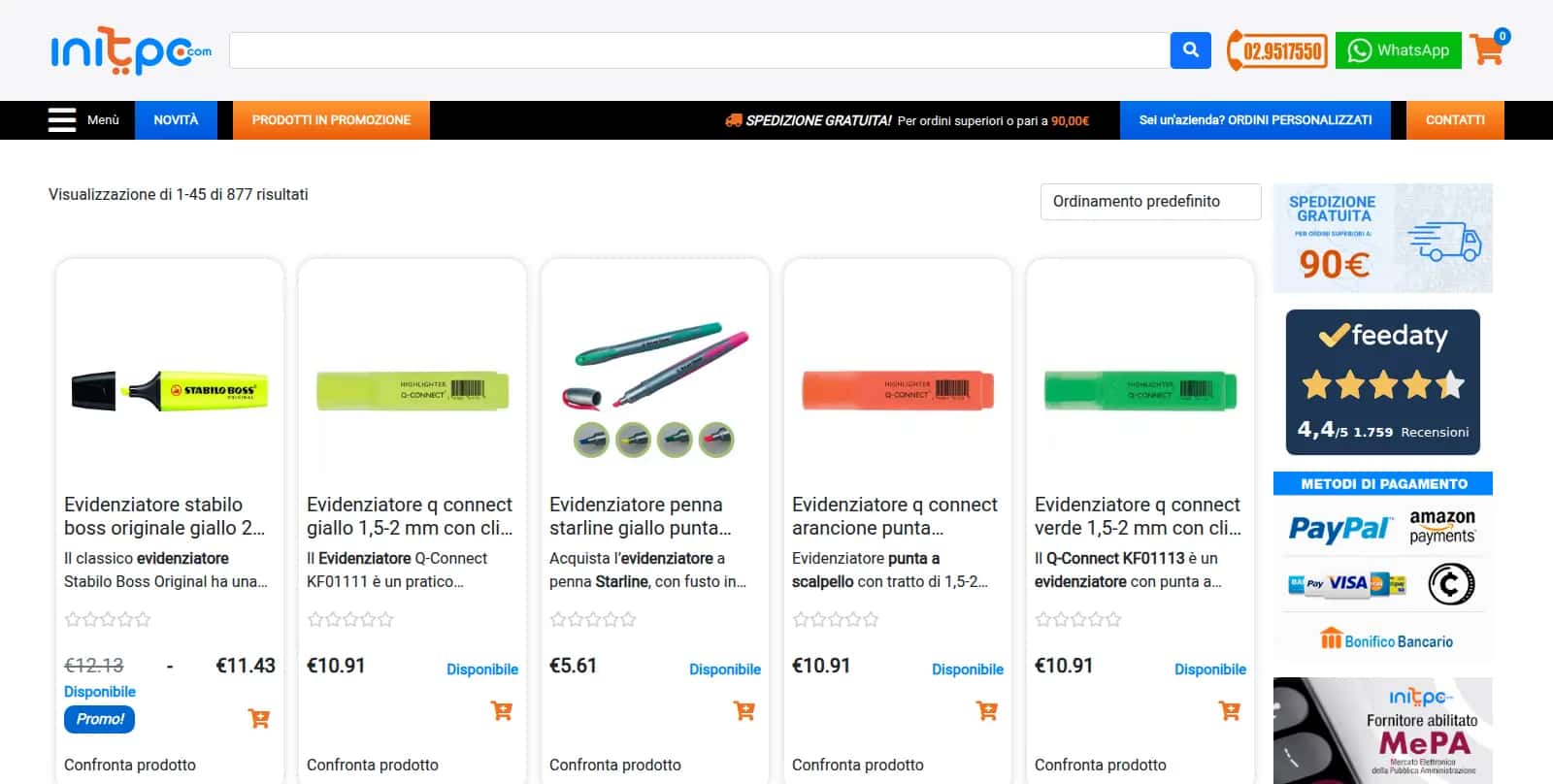
An e-commerce store with more than 280,000 products in its catalogue does not come from a spreadsheet uploaded once and forgotten. It comes from price lists issued by different suppliers, from warehouses that update stock availability at their own pace, and from a shop that must always show a credible price and a credible stock level. That is the Initpc case: a catalogue of office supplies, stationery, IT equipment, school products and gift items, fed by several sources, with a single storefront on display.
The heart of the project is not WooCommerce, the current platform, but what sits upstream of it: a proprietary ERP / back-office system, developed by us, that ingests the price lists, normalizes them, decides what gets published and keeps prices and stock availability aligned across suppliers, warehouses and website. Without that layer, a catalogue of this size cannot be governed.
Here we explain how the pipeline works, what can go wrong at each stage and how we handle it. This is a deep dive from the Initpc case study, where you will find the overall architecture and the other chapters.
Why it cannot be done by hand, nor with an import plugin
The initial temptation is always the same: a CSV import plugin, a column mapping, a scheduled upload. It works with a single supplier and stops working as soon as several price lists come into play, because a plugin answers only one question — "how do I get these rows into WooCommerce?" — while the real questions are different. Who decides which supplier wins when the same product appears in more than one price list? What happens to the online price when the cheapest supplier runs out of stock? Where does the record of what was discarded end up?
Doing it by hand, across more than 280,000 SKUs, is not an option: every manual intervention is a decision that leaves no trace and cannot be repeated. What was needed was a system with its own logic, separate from the shop, that treated WooCommerce as a destination rather than as the place where the data gets tidied up.
The proprietary ERP: the brain upstream of the shop
The ERP / back-office system we developed for Initpc is a standalone application, with its own database and its own processes, sitting between the suppliers and the website. WooCommerce receives data from it that is already clean and already decided: it does not know the original price lists and makes no commercial decisions. The business rules — margins, supplier priorities, exclusions — live in one place and can be changed without touching the shop; the website can be replaced, as has already happened in Initpc's history, without rebuilding the supplier integration; errors stop upstream, where they can be examined, instead of reaching the storefront.
It is the same approach we follow when we design custom ERP and CRM software: the reference data lives in a system that is responsible for it, and everything else is a projection of it.
From price lists to the internal format
Ingestion: different formats, one pipeline
Each supplier delivers its price list however it prefers: tabular files with columns that change name from one version to the next, fixed-width layouts inherited from previous-generation ERPs, different character encodings, feeds to download, stock availability published separately. The ERP has a connector for each source, which fetches the file, interprets it, recognizes whether it is complete or truncated and always produces rows in a single internal format. From there on the pipeline is identical for everyone, and adding a supplier means writing a connector, not rebuilding the system.
Normalization: making comparable what is not
- Codes and identifiers. The supplier's code is kept as a reference, but the key that joins the price lists is the EAN, where one exists and is valid; an incorrect EAN, or one reused for different products, is flagged and not used as a key.
- Selling units and packs. One supplier sells the single piece, another the pack, another the carton: price and stock availability are brought back to the unit the shop actually sells, otherwise comparing sources makes no sense.
- Prices. The purchase price is read together with its conditions (volume discounts, promotions, ancillary charges) and from there the selling price is calculated according to the margin rules for each category.
- Attributes and categories. Colour, size, brand, compatibility: every supplier has its own vocabulary. Normalization translates it into the catalogue's vocabulary, and the shop's categories come from a mapping of our own, not from the supplier's.
Hector AI, our artificial intelligence platform, also steps in at this stage: where attributes arrive mixed into the description, extracting them and checking their consistency is the work described on the page about product pages generated with Hector AI.
Publishing rules: what goes online, and from which source
Duplicate products and choice of source
When the same EAN appears in the price lists of several suppliers, the ERP keeps a single product page with several linked offers. The active source depends on the purchase price, on actual stock availability and on a per-supplier priority that we can set. If the chosen supplier drops to zero, the offer switches to the next one and the online price follows: the customer always sees a single page, with consistent price and availability.
Exclusions and minimum requirements
A product without a description, image or category is not published until it meets the minimum requirements. The same applies to product families excluded by commercial choice, to items being permanently discontinued by every supplier, and to anomalous prices: better one product page fewer than a wrong price on the storefront.
Stock availability and prices: an update has to reach the search index
Prices and stock availability are the data that change most often and cost the most when they are wrong. The ERP pushes them to WooCommerce with a differential flow: only what has changed is written, because rewriting the entire catalogue every time would bring the database to its knees. A price updated in the database is not yet updated for the site's visitors: the page may be served by Varnish, the product object may sit in Redis and the search result comes from Elasticsearch. Every update has to propagate along the whole chain — targeted page invalidation, object cache refresh, product reindexing — otherwise search suggests a price the cart does not recognize. How the index is organized, and why we abandoned WooCommerce's native queries, is explained on the page about Elasticsearch for e-commerce search.
Error handling: what happens when something does not add up
With several suppliers and hundreds of thousands of rows, something fails to add up on every cycle. The question is where it gets stopped and how it is made visible.
| Pipeline stage | What it does | What can go wrong | How we handle it |
|---|---|---|---|
| Ingestion | Fetches and reads each supplier's price list | Missing or truncated file, changed layout | Completeness check; the invalid price list is ignored and the last good one stays in use; automatic retry and alert |
| Normalization | Brings codes, units, prices and attributes into the internal format | Incorrect EANs, ambiguous units, prices out of range | Row discarded with the reason logged; anomalous deviations quarantined pending review |
| Publishing | Applies the rules on what to publish and from which source | Missing minimum requirements, conflict between sources | The product page stays unpublished or keeps the last valid offer; the case goes into the report |
| Synchronization | Writes the differences to WooCommerce | Write errors, timeouts, database load | Batches of controlled size, resumption from the point of interruption, a log entry for every write |
| Propagation | Invalidates Varnish and Redis, reindexes in Elasticsearch | Cache not invalidated, index not updated | Reindexing queue with confirmation; consistency check between database and index |
Quarantine deserves a word more. A price that deviates abnormally from the previous one may be a supplier error or a genuine promotion; the system does not decide on its own: the row is isolated, the product keeps its last valid data and an operator examines it. The log records every decision, so an odd price reported by a customer can be traced back to the source and to the cycle that produced it.
Scheduling, load and marketplaces
Synchronizations do not all run at the same pace: stock availability changes far more often than descriptive data, and each supplier publishes on its own calendar, so scheduling follows the timing of the sources. Heavy cycles, such as a full re-read of a price list, go into the low-traffic windows and are split into batches: the infrastructure withstands peaks only if we are not the ones causing them.
The same ERP also feeds the marketplaces. Publishing on Amazon starts from the normalized catalogue, with the channel's own exclusion rules, and a proprietary repricer recalculates the price taking into account the target margin, the fees and the actual stock availability at the suppliers. When the source changes or stock runs out, the marketplace price follows, and an unavailable product is withdrawn before it generates an order we cannot fulfil. This part of the system is in production and we keep evolving it in our work on AI for logistics and operations management.
Frequently asked questions
The questions we get about this project
Isn't a WooCommerce import plugin enough to synchronize several suppliers?
An import plugin carries rows into WooCommerce, but it does not decide which supplier to publish when the same product appears in several price lists, does not normalize units and packs, does not isolate anomalous prices and leaves no trace of what it discarded. With a large catalogue and several sources you need an upstream layer with these responsibilities, one that treats the shop as the destination for data that has already been decided.
What happens to the website when a supplier runs out of a product?
If the product is available from another supplier, the ERP activates the next offer according to price, stock availability and priority, and the online price is updated. If there is no alternative, the product shows as unavailable and is withdrawn from the marketplaces too, before anyone orders what we cannot deliver. In both cases there is still a single product page, and the change is propagated to the caches and the search index.
How do you spot a wrong price before it reaches the storefront?
Every row goes through checks on the EAN, on the selling unit and on the price deviation from its history. Whatever fails them is discarded with the reason logged, or placed in quarantine when a human check is needed; in the meantime the product keeps its last valid data. The log of each cycle lets us reconstruct what was read, from which source and with what outcome.
05 / Related services
The services behind this back-office system
Custom software, AI on warehouse data and e-commerce development: the pages that explain the services applied in this deep dive.

Related articles
More case studies
Several suppliers' price lists and a site to keep aligned?
If you update prices and availability by hand, or with an import that skips the wrong rows, the problem sits upstream of the store. Tell us how it works today.
06 / Talk to an expert
Talk to the people who built the Initpc architecture
Tell us about your catalogue, your platform and what no longer holds up: we call you back within one business day.
A senior consultant reviews the situation with you — infrastructure, search, data management, migration — and proposes the solution proportionate to the real scale of your store, with no obligation.