

How to Speed Up a Slow Connection
Speed up a slow internet connection in a few simple steps: a practical mini-guide to getting the most out of your internet line.

Speeding up a slow connection is one of the most common frustrations for anyone who spends a lot of time on the internet.
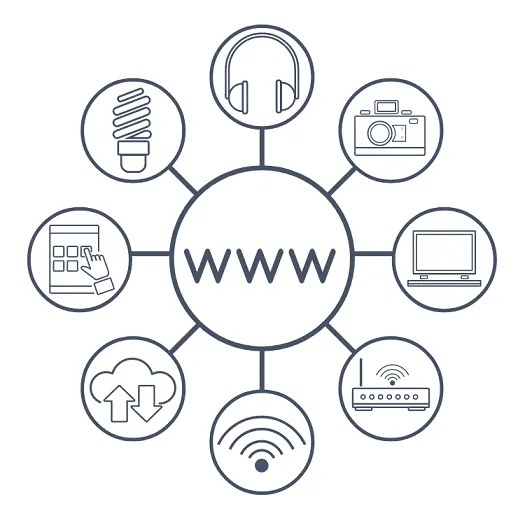
By now we all know the web is a fundamental medium that practically everything runs on: leisure, work, communication... every aspect of our daily lives passes through the network.
While browsing the internet, you may run into slowdowns and all sorts of problems related to your line: the kind of thing that makes you lose patience while you hunt for a fix.
That is exactly why we put together this mini-guide to speeding up a slow connection so you can get back to being productive.
The Mini-Guide to Speeding Up a Slow Connection
One of the biggest headaches for anyone who spends a lot of time online is dealing with a slow line.
With that in mind, here is our mini-guide with practical tips:
Once your internet plan is active, it is important to check your line speed to confirm everything is configured correctly. If your provider's customer area does not show this, you can run a speed test using tools available on other websites (a quick Google search will turn up plenty). There are a few important metrics to keep in mind: download, upload and ping.
If you do run into problems, the first and simplest thing to try is turning the modem off and back on (leave it off for a few seconds). This resolves the less serious issues more often than you'd think.
Check your modem's configuration and, for example, look out for other Wi-Fi networks that might be interfering with your line. If that's the case, you could try changing the router's channel, or review other settings that might be misconfigured.
Check the cabling between your PC and modem, and between the modem and the wall socket. Worn-out cables, or cables that are too long when extensions are used, are often the real cause of a slower connection. Some providers' speed tests report both the speed reaching the modem and the speed reaching your device, which helps pinpoint exactly where the slowdown is happening.
Always consider the possibility of ongoing network maintenance work in your area, or that your line itself is an entry-level plan with several limitations. In that case, it is worth checking what other plans are available on the market to see whether a better-suited option exists for your needs.
Check the device itself, since software or hardware issues on your computer or router can sometimes be the real cause of the slowdown.
Run an antivirus and malware scan to rule out malicious software slowing down your line.
Avoid running too many applications that use your connection at once. Also try not to keep too many browser tabs open, too many devices connected to the Wi-Fi (they eat up a lot of bandwidth!), and check whether a file download or update is running in the background. If you need to get work done, consider pausing these temporarily.
Other Common Causes of a Slow Connection

These were a few simple tips to keep in mind for speeding up a slow connection; of course, everything starts with a solid, active internet plan — without that, poor performance is simply to be expected.
It is also worth noting that factors like the condition of the copper cabling connecting your building to the local network cabinet, or the property's location itself, can have a big impact on your line's performance.
There is not much you can do about these physical factors on your own: in areas still served by older copper infrastructure, the real fix is a fibre upgrade where it becomes available, or switching to a provider with better local coverage.
Your national telecoms regulator's website can be a useful resource here: most publish official information on consumer rights, service quality standards, and complaint procedures if your provider is not delivering the speeds you are paying for.
Frequently asked questions
How do you speed up a slow internet connection?
Start by checking your line speed with a speed test, then turn the modem off and back on, review its configuration and cabling, and rule out interference from other Wi-Fi networks or too many devices and applications running at the same time.
What's the first thing to try when a connection slows down?
The simplest fix is to turn the modem off, leave it off for a few seconds, then turn it back on: this alone resolves many of the less serious, temporary slowdowns without any further troubleshooting.
What are other common causes of a slow connection?
The condition of the copper cabling connecting your property to the local network cabinet, the property's location relative to the infrastructure, an internet plan that doesn't match your needs, or too many devices connected to the Wi-Fi at once.
Can a virus slow down your internet connection?
Yes. Malware running in the background can consume bandwidth and system resources without you noticing. Keeping an up-to-date antivirus running helps rule this out as a possible cause behind a persistent slowdown.
Technology partners






Want to discuss it with our team?
We analyse your infrastructure for free and propose the most suitable solution.