

Photo Recovery from External Storage
Recover your photo memories: the process for restoring pictures from external storage devices, preserving your most precious moments.

In this article
Our digital lives are full of images: from happy moments with friends and family to epic adventures in faraway places, photos are precious witnesses of our most cherished memories. That's why it's so devastating when these images are lost or damaged, especially when they're stored on external media such as SD cards, USB drives or external hard disks. Fortunately, with the right knowledge and tools, it's possible to recover those precious photos and preserve your memories for good.
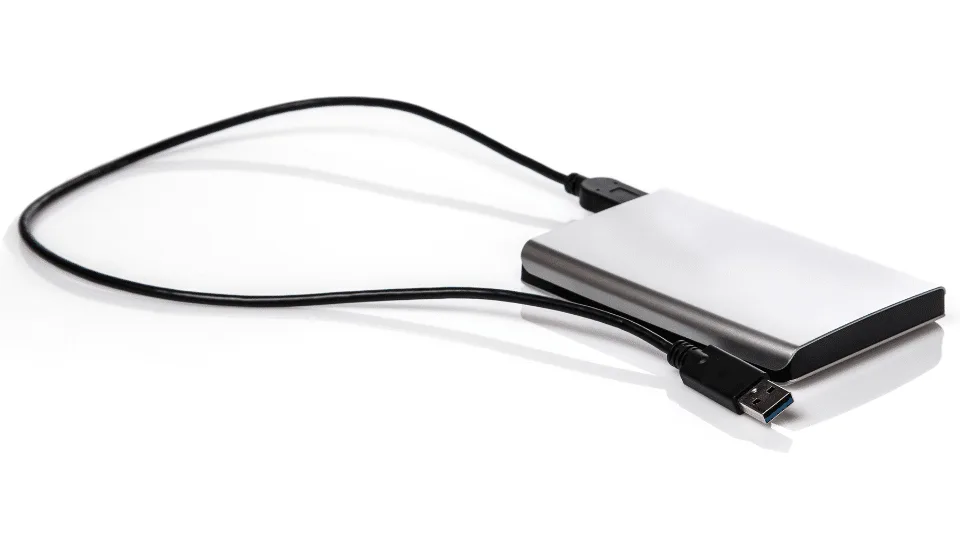
Understanding the causes of data loss
Before starting the recovery process, it's important to understand the most common causes of data loss from external storage. Photos can be lost due to human error, such as accidental deletion or incorrect formatting of the drive. Technical issues, such as physical damage to the media, system errors or virus infections, can also cause data loss.
Choosing the right data recovery software
Once you understand why the photos were lost, it's essential to choose the recovery software that best fits your needs. Look for a reputable, reliable tool capable of recovering a wide range of file types, including images in multiple formats. Several options are available on the market, each with its own strengths.
1. EaseUS Data Recovery Wizard
With extensive experience in the field, EaseUS Data Recovery Wizard is known for its reliability and ease of use. It offers a full range of recovery features, including images in different formats, and its intuitive interface guides users through the process, making it suitable for both beginners and advanced users.
2. Disk Drill
Disk Drill is another popular recovery tool, offering a broad set of features for recovering files, including the most common image formats. What sets Disk Drill apart is its ability to recover data from a variety of storage devices, including SD cards, USB drives and external hard disks; it also offers a quick-scan mode to find recently deleted files.
3. Recuva
Recuva is a lightweight yet powerful tool focused on effectively recovering lost or damaged files. With a simple, clear interface, it lets users easily navigate the recovery process and quickly locate the images and other files they need. It can recover data from a wide range of storage devices, making it a versatile choice for anyone who needs to recover data from different media.
Connecting and analyzing the external drive
Once you've chosen your software, connect the external drive to your computer and start the analysis for photo recovery. Make sure your computer correctly recognizes the external drive, then launch the recovery software. During the scan, the software will carefully examine the drive to locate and recover lost or damaged files.
Reviewing results and selecting the photos to recover
Once the scan is complete, the recovery software will display the results — a list of recoverable files, including your precious images. Carefully review the results and select the photos you want to recover. Most tools let you preview recoverable images, so you can check their quality and integrity before recovering them.
Starting the recovery process
After selecting the photos to recover, start the recovery process. Choose a safe location on your computer or another external drive to save the recovered files. Avoid overwriting existing data during recovery, as this could further compromise your files.
Taking preventive measures for the future
Once the recovery is complete, it's important to adopt preventive measures to avoid future data loss. Regularly back up your photos to multiple devices and external drives to keep them safe. Also handle your external storage with care, and avoid exposing it to extreme temperatures or physical shocks, to reduce the risk of damage.
Conclusions
Recovering your precious photos from damaged or formatted external storage can seem like a daunting task, but with the right tools and knowledge, you can preserve your most cherished memories. Follow the steps outlined above and use reliable recovery software to maximize your chances of success. Always remember to take preventive measures to protect your data going forward, and enjoy your memories worry-free. If you'd rather leave it to specialists, TN Solutions' data recovery team can assess your device and guide you through a safe recovery process.
Frequently asked questions
What are the most common causes of photo loss from external storage?
Human error, such as accidental deletion or incorrect formatting, as well as technical issues like physical damage to the device, system errors or virus infections.
What software can you use to recover lost photos?
Reliable options include EaseUS Data Recovery Wizard, known for its ease of use, Disk Drill, which can recover files from SD cards and USB drives, and Recuva, a lightweight tool suitable even for beginners.
How do you avoid making things worse during recovery?
Always save recovered files to a different location than the original storage device, to avoid overwriting existing data during the process — an action that could further compromise the files you're trying to recover.
How can you prevent photo loss in the future?
By running regular backups across multiple devices and external storage media, and handling storage devices carefully, avoiding extreme temperatures and physical shocks that can cause damage over time.
Technology partners






Want to discuss it with our team?
We analyse your infrastructure for free and propose the most suitable solution.