

Windows Virtual Server
Windows virtual servers on Hyper-V, VMware and Proxmox, with Azure Hybrid Benefit to reuse the licenses you already own: high performance, business continuity and support from Melzo covering all of Lombardy.
- ★ 4.7 · 38 Google reviews
- 25 years of experience
- ISO 9001 / ISO 27001

01 / Risposta rapida
What is a Windows virtual server, in brief
A Windows virtual server is an environment built on a physical host running Windows Server, shared with other virtual machines: it offers scalability, lower costs and full compatibility with the Microsoft ecosystem.
- Consistent performance even for critical applications
- Resources that grow with your business, without changing hardware
- Centralized control, simple even without an in-house IT team
02 / Who We Work With
We're ready for every new challenge
From 5 workstations to a virtualized cluster with multiple instances: we size the project around your real infrastructure.
- Structured companies
- SMEs
- Professional firms
- Manufacturing companies
- Service companies
03 / Physical or Virtual
Physical or virtual Windows server: which to choose
Many companies combine both solutions: here's when each makes sense in Windows environments.

Dedicated Windows server
- Maximum performance for ERP, CRM and SQL databases
- Isolation and full control over hardware resources
- Suited to critical applications or large data volumes

Windows virtual server (Hyper-V/VMware)
- New virtual machines ready in hours, not weeks
- Hybrid on-premise + Azure scenarios with Azure Hybrid Benefit
- Automatic failover between nodes for business continuity
04 / The Benefits
Why choose TN Solutions for your Windows environments
- 5 Windows Server versions managed (2008-2022)
- 24/7 proactive monitoring before downtime hits
- 25+ years of experience as a System Integrator
How quickly we take charge of your request
Just like in our VirtualAssistance support contract model, the response time is selectable based on how critical your systems are: the shorter it is, the higher the priority.
| Response SLA | Best suited for |
|---|---|
| 3 hours | Critical servers and services that cannot afford downtime |
| 8 hours | Workstations and services with a significant operational impact |
| 12 hours | Relevant requests that can be handled within the working day |
| 24 hours | Routine requests and activities that can be scheduled |
It's the same selectable SLA model used in our IT support contracts: we define it together based on your systems, with no hidden costs.
Not sure which SLA level is right for you? We analyse your infrastructure for free and help you choose the SLA that best fits your company, with no obligation.
05 / Tools and Technology
We work on the most widely used Windows Server and virtualization platforms
- Microsoft Hyper-V
- VMware vSphere/ESXi
- Proxmox VE
- Windows Server 2008-2022
- Azure Hybrid Benefit
- Veeam, Acronis
06 / Partner tecnologici






07 / Approfondimento
Guide to Windows virtual servers for business
- 25+ Years supporting businesses
- 4.7/5 Average rating on Google
- 38 Verified reviews
- ISO 9001/27001 ISO certifications
A Windows virtual server is a virtual machine running Windows Server that lives on a physical host, letting companies consolidate applications, databases and services into a scalable, protected environment. TN Solutions designs and manages Windows virtual servers for business on Hyper-V, VMware and Proxmox, with dedicated support, professional backup and ISO 9001/27001 certified processes.

Windows Virtual Servers for Business: Design and Support
TN Solutions designs Windows Server environments tailored to your business, from initial consulting to day-to-day management. Three pillars: consistent performance, resources that grow with you, and control that's actually simple.
Uninterrupted performance
High-availability environments with automatic failover between nodes, dedicated resources for ERP, CRM and SQL databases, 24/7 proactive monitoring. Application-consistent backups (Veeam, Acronis) and restores that are tested, not just promised.
Resources that grow with you
- CPU, RAM and storage that scale without replacing hardware
- New virtual machines ready in hours, not weeks
- Licensing optimized with Azure Hybrid Benefit, even in hybrid scenarios
Simple control
Centralized console for VMs, snapshots and consumption; Active Directory and permissions managed by us, with periodic reports. One dedicated technical contact who knows your environment — not an anonymous ticket queue.

Our Windows Server Services
We offer a complete Windows server design service for physical, virtual and hybrid environments. Our experience covers every version of Windows Server (2008, 2012, 2016, 2019, 2022), with a focus on Hyper-V and high-availability environments. Every configuration is built around the company's real needs and integrates with our server virtualization services.
We build enterprise virtual servers on optimized Windows platforms, ideal for SMEs, technical and professional firms, manufacturing companies and multi-site organizations.
Windows Server Consulting and Hybrid Environments
Our Windows server consulting also covers integration with cloud services such as Azure and hybrid solutions through Azure Hybrid Benefit, which lets you reuse licenses you already own for cloud and on-premise environments. We configure VDI (Virtual Desktop Infrastructure), Remote Desktop, Domain Controller environments and support migrations from legacy versions.
We also offer dedicated Windows server solutions for critical applications, Active Directory environments, databases and ERP software. Every infrastructure is sized for expected workloads and integrated with backup, firewall and monitoring.


Who We Work With: SMEs, Professional Firms and Multi-Site Companies
We're ready for every new challenge. Our service is built for structured companies, SMEs, professional firms, manufacturing businesses and service companies. Whether it's a 5-workstation environment or a virtualized cluster with multiple instances, we guarantee proactive technical support, fast problem resolution and complete documentation of every intervention.
Turn your IT infrastructure into a growth engine: Windows servers tailored to help your business reach new milestones.
Technology Used in Windows Server Environments
TN Solutions works on virtualized Windows Server environments with Hyper-V, VMware or Proxmox, and integrates professional backup systems (Veeam, Acronis), firewalls, VPNs and Active Directory. We configure Windows virtual servers on HP, Dell, Lenovo, Fujitsu and Acer infrastructure, with full compatibility and continuous technical support.

The Benefits of a Windows Virtual Server
Here's why companies choose TN Solutions for their Windows environments:
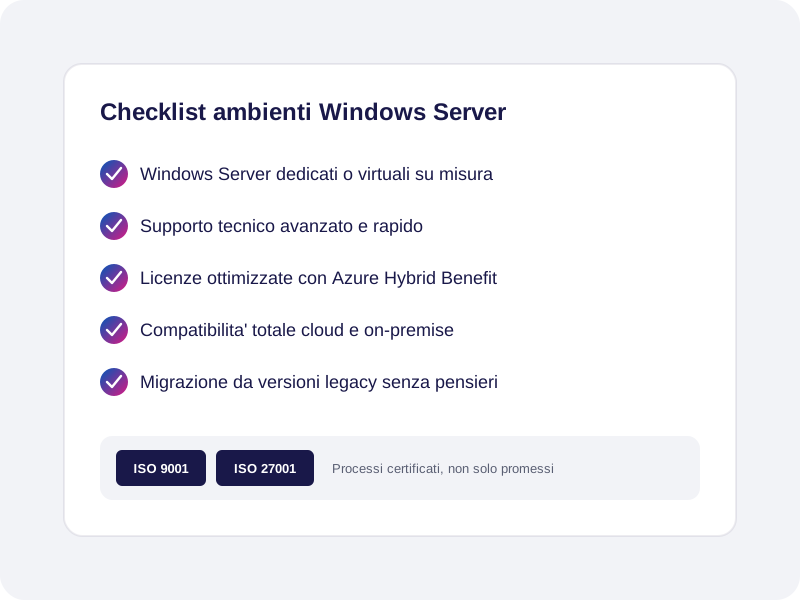
- Custom infrastructure with dedicated or virtual Windows Servers
- Advanced technical support with fast, qualified assistance
- License optimization through Azure Hybrid Benefit
- Full compatibility with cloud and on-premise solutions
- Migration and integration from legacy to new platforms
- Configuration of AD, RDS, VDI environments and Exchange mail services
Frequently asked questions
What is a Windows virtual server and when should I use one?
It's a server environment created virtually on a physical host, running Windows. It's ideal for companies that want to optimize resources, cut costs and manage applications, databases or file sharing in a centralized, secure way.
What are the benefits of a dedicated Windows server?
A dedicated server offers maximum performance, isolation and control. It's suited to companies running management software, critical applications or large data volumes. With Windows Server you get full compatibility with the entire Microsoft ecosystem.
What's the difference between a physical and a virtual server?
A physical server is a machine dedicated to a single environment, while a Windows virtual server shares infrastructure with other VMs. Virtualization offers scalability, cost reduction and simplifies managing multiple environments on a single system.
Are Windows Server licenses included in the service?
We help you choose the most cost-effective licensing (Standard, Datacenter, user or device CALs) and, where possible, reuse existing licenses with Azure Hybrid Benefit, reducing the overall project cost.
Can I migrate an existing physical Windows server without stopping services?
Yes: we plan the migration with a parallel test environment and a low-impact cut-over, typically outside business hours. Before the final switch we always run a full backup and a rollback plan, so your data stays protected at every stage.
Other server virtualization services
Also see other solutions related to server virtualization: Linux, Exchange and coverage in Milan.
Ready to take your Windows Server environments to the next level?
We analyze your current infrastructure for free and propose the most suitable Windows Server configuration, with a clear quote.
08 / Talk to an Expert
Talk to a Windows server expert
Tell us about your infrastructure, we'll call you back within one business day.
Describe the Windows Server environments you want to virtualize or migrate: one of our systems engineers will contact you for a first free, no-obligation conversation.